Placing an order is easy; managing it is where traders separate confusion from control. Your order sits in a queue, you may need to cancel or edit it, and afterward three different history views tell three different stories. Mixing them up leads to real mistakes, like thinking a trade happened when only an order was placed. Here is how to manage open orders and read the history screens correctly.
The order queue and priority
Limit orders on the book are sorted by a rule called price-time priority. Better-priced orders get filled first; among orders at the same price, the one placed earliest is first in line. Your position in that queue matters, because a coveted spot near the front means you are more likely to fill before the price moves away. Understanding the queue explains why two identical-looking orders can have very different odds of executing.
Canceling and editing orders
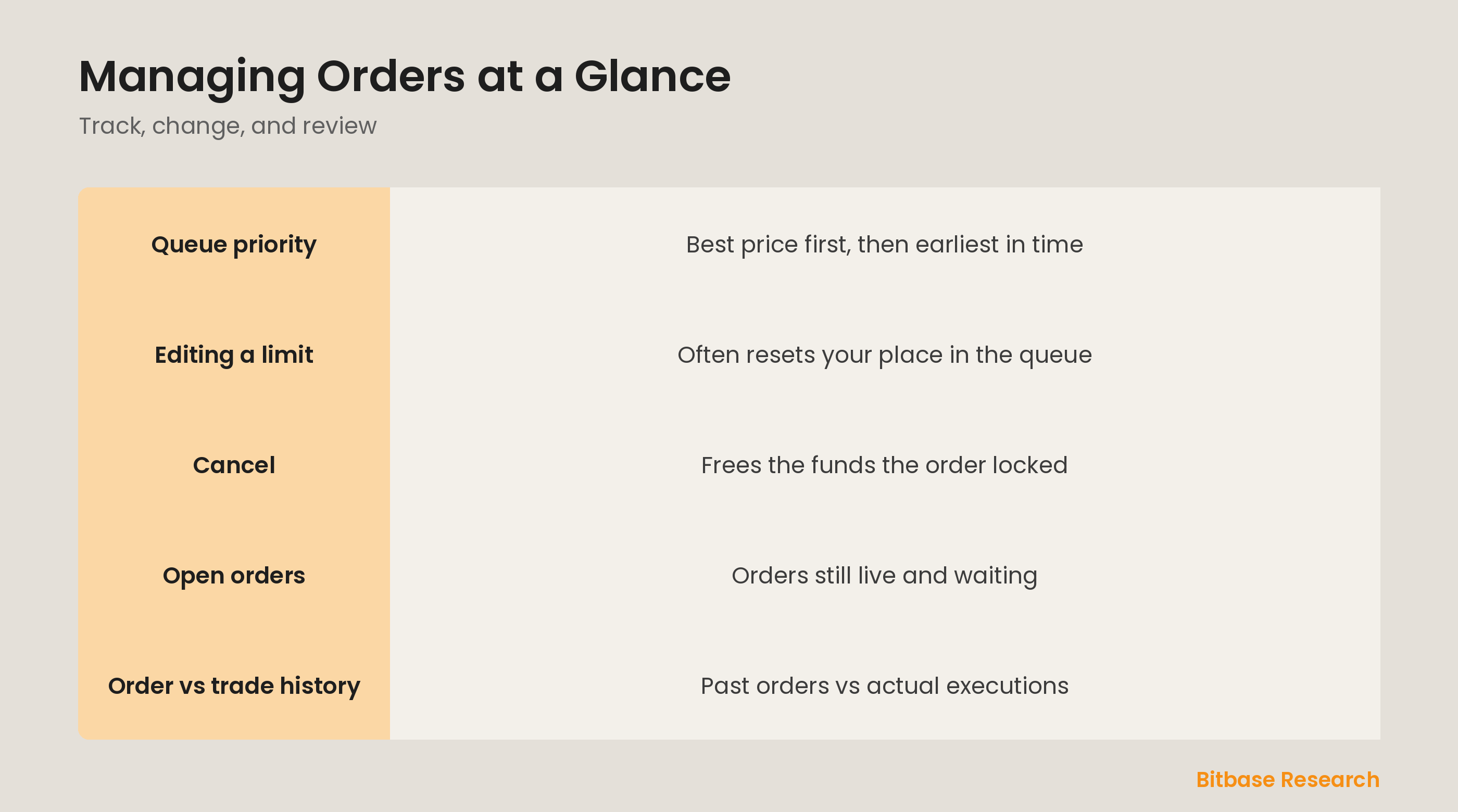
You can cancel an open order at any time before it fills, which removes it from the book and frees the funds it had locked. Editing is subtler: on many exchanges, changing a limit order's price or size cancels the old order and creates a new one, sending you to the back of the queue at that price. That queue reset is why edits are not free, and why sometimes canceling and re-placing deliberately is the cleaner choice.
Open orders vs order history
Your open orders are the ones still live, resting on the book and waiting to fill or be canceled. Order history is the record of orders that are no longer active, whether they filled, were canceled, or expired. Watching open orders tells you what is working for you right now; order history tells you what you tried in the past. Do not confuse a canceled order in history with a completed trade.
Order history vs trade history
Trade history is different again: it lists actual executions, the moments crypto and cash truly changed hands. One order can appear as several trades if it filled in parts, and an order that never filled leaves no trade at all. For working out your real cost basis and profit, trade history is the source of truth, because it records what actually happened, not just what you asked for.
The bottom line
Managing orders means knowing your place in the price-time queue, canceling to free locked funds, and understanding that editing a limit often resets your queue position. The three history views serve distinct purposes: open orders show what is live, order history shows what you placed, and trade history shows what actually executed. Read them correctly and you always know exactly where each order stands. To keep learning the fundamentals, follow more from Bitbase Academy.
Disclaimer: This article is educational content from Bitbase Academy, provided for information only. It does not constitute investment, trading, tax, or financial advice. Crypto assets are volatile; assess your own risk. Written as of June 2026; refer to the latest official information.
References
[1] Investopedia, "Order Book: Definition, How It Works, and Key Parts" investopedia.com
[2] Investopedia, "Limit Order: Definition, How It Works, and Types" investopedia.com
[3] Investopedia, "Market Order: Definition, Example, Vs. Limit Order" investopedia.com